API access
VulnPilot exposes a public HTTP API for programmatic access to vulnerability intelligence, vendors, products, articles, and action plans.
Access is authenticated with API keys. Knowledge endpoints are protected by per-organization rate limits.
The official API base URL is https://vulnpilot-api.sentibee.com/api/v1. You can find the endpoint documentation in the API reference and associated Swagger UI .
Who can create API keys
Two conditions must both be true:
- Your user has the
api.create_api_keypermission. Organization administrators and organization members receive this permission. Guest accounts do not. - Your organization plan allows API keys.
If API access is not enabled on your plan, contact Sentibee to enable it.
Create an API key
From the VulnPilot UI
- Open the Team page.
- Open the API Keys tab.
- Click Create API Key.
- Confirm creation.
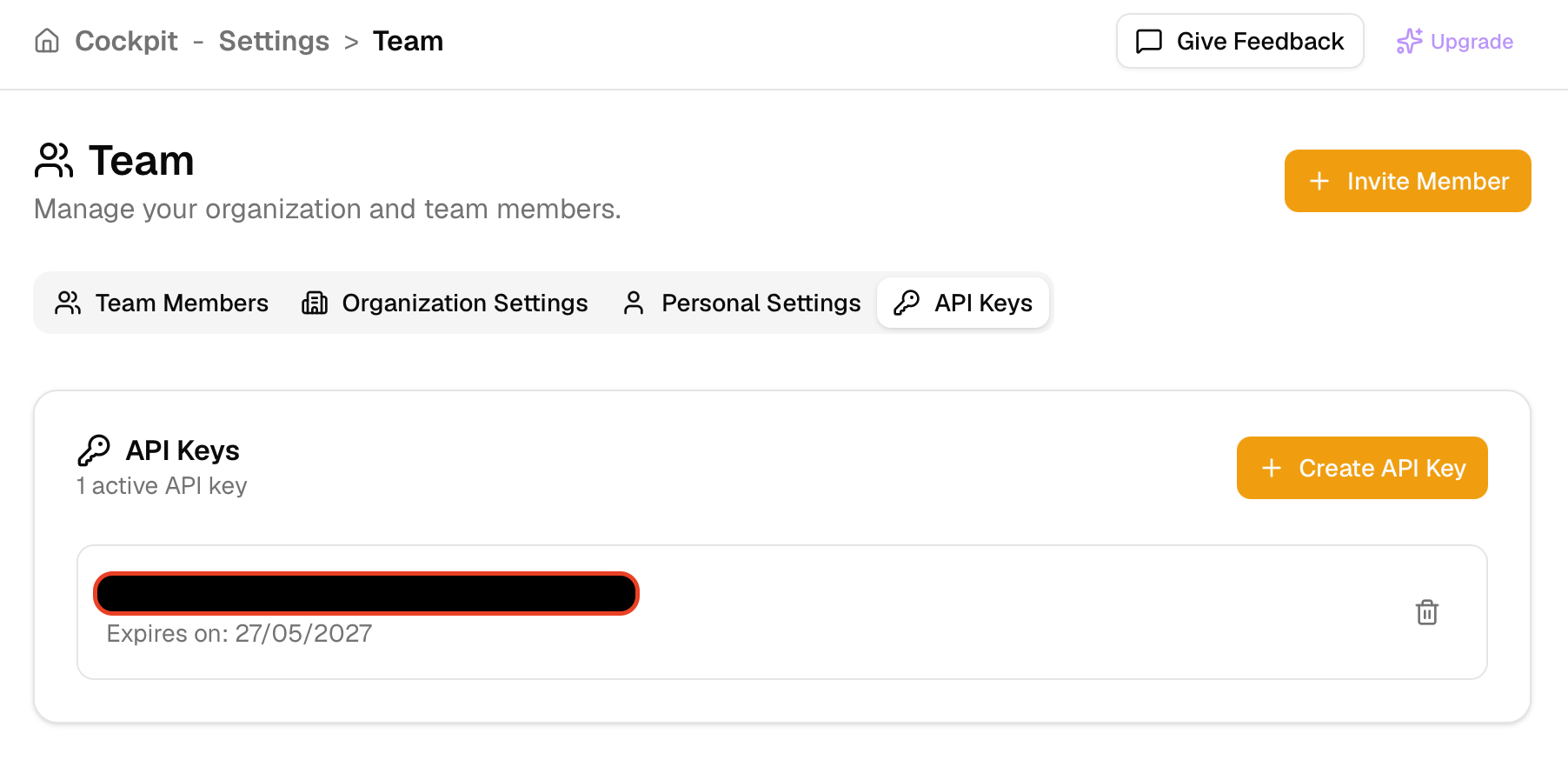
The API Keys tab lists each key and its expiration. The secret is shown only when the key is created. Delete removes a key before it expires.
You receive:
- API Key ID — a UUID identifying the key
- API Secret — a secret value shown only once
Store the secret securely. It cannot be retrieved again after you close the dialog. If you lose it, revoke the key and create a new one.
API keys expire 365 days after creation. Each key belongs to the user who created it.
From the API
Authenticated users with the permission above can create a key with:
POST /api/v1/user/api-keys
Authorization: Bearer <session_token>
Successful response:
{
  "api_key_id": "00000000-0000-0000-0000-000000000000",
  "api_secret": "<secret>"
}
If your plan or permissions do not allow key creation, the API returns 403.
Authenticate with an API key
API keys are exchanged for a short-lived session token.
1. Log in
POST /api/v1/user/login
Content-Type: application/json

{
  "api_key_id": "00000000-0000-0000-0000-000000000000",
  "api_key_secret": "<secret>"
}
Successful response:
{
  "token": "<session_token>",
  "expiry_date": "2026-07-29T20:00:00Z"
}
Sessions last up to 8 hours, and expire after 30 minutes of inactivity.
2. Call the API
Send the token on every authenticated request:
Authorization: Bearer <session_token>3. Log out (optional)
POST /api/v1/user/logout
Authorization: Bearer <session_token>
Revoke an API key
Revoking a key disables it immediately. Applications using it can no longer create new sessions. Existing sessions created with that key remain valid until they expire or are logged out.
From the VulnPilot UI
- Open the Team page.
- Open the API Keys tab.
- Click the revoke action next to the key.
- Confirm.
From the API
PUT /api/v1/user/api-keys/{api_key_id}/revoke
Authorization: Bearer <session_token>
You can only revoke keys that belong to your own user account.
Check your rate limits
Rate limits are defined on your organization plan limits object.
Inspect organization limits
Call the current-user endpoint:
GET /api/v1/user
Authorization: Bearer <session_token>
In the response, inspect organization.organization_plan_limits:
| Field | Meaning |
|---|---|
can_create_api_keys | Whether API key creation is allowed for the organization |
api_requests_per_minute | Steady-state knowledge API allowance (requests per minute). 0 means unlimited |
api_burst | Burst capacity: how many requests can be consumed in a short window |
Default values when not otherwise configured are 100 requests per minute and a burst of 20.
Limits are enforced per organization, not per API key or per user. All traffic from members of the same organization shares one bucket.
Which endpoints are rate limited
Rate limiting applies to knowledge API routes, including:
- Vendors and products (
/api/v1/vendors,/api/v1/vendors/products, …) - Vulnerabilities and monitor (
/api/v1/vulnerabilities,/api/v1/vulnerabilities/monitor, …) - Articles (
/api/v1/articles, …) - Action plans (
/api/v1/action_plans, …)
User, organization, watchlist management, and API key management routes are not covered by this knowledge-API rate limiter.
Rate limit response headers
Successful knowledge API responses include:
| Header | Description |
|---|---|
X-RateLimit-Limit | Burst capacity for your organization (api_burst) |
X-RateLimit-Remaining | Estimated remaining burst tokens after this request |
X-RateLimit-Reset | Unix timestamp (seconds) when the limiter is expected to fully replenish |
Example:
HTTP/1.1 200 OK
X-RateLimit-Limit: 20
X-RateLimit-Remaining: 17
X-RateLimit-Reset: 1722283200
HTTP 429 Too Many Requests
When the organization exceeds its rate limit, the API returns 429.
Response headers:
| Header | Description |
|---|---|
Retry-After | Seconds to wait before retrying |
X-RateLimit-Limit | Burst capacity |
X-RateLimit-Remaining | 0 when limited |
X-RateLimit-Reset | Unix timestamp when the limiter is expected to fully replenish |
Example response body:
{
  "error": "rate_limit_exceeded",
  "message": "API rate limit exceeded",
  "code": 429
}
Recommended client behavior
- Read
Retry-Afterand wait at least that many seconds before retrying. - Prefer exponential backoff with jitter for repeated 429s.
- Spread requests over time so you stay within
api_requests_per_minute, and avoid exhaustingapi_burstwith large parallel batches. - If you need a higher quota, contact Sentibee to raise your organization plan limits.